I wrote this essay for the Val Town blog, syndicated here.
It was the best of times to make a website, it was the worst of times to make a website
- Planted:
How do you make a website, in 2026?
Well, what kind of website? And who’s making it? (And how much time do they have? And how much money do they have? And will they need to maintain it a year from now? Ten years from now?) There is no universal answer to “how to make a website” because, as the archetypal senior engineer says, “it depends.”
I like to make websites, and I’m always curious how other people make websites, so I tried making the same website six times using six different tools:
- Lovable
- v0 (Vercel)
- Replit
- ChatGPT Sites
- Claude Artifacts
- Val Town
This blog post is a sort of journal entry about my website-making experiment.
Making a conference talk minisite
Real examples tend to be more useful than contrived demos, so for this experiment I made a website for a conference talk I gave earlier this month titled Your corner of the internet. My talk thesis was basically “I think you should have a personal website.”
I wanted a simple reference minisite, but I didn’t want my example to be too trivial, so I decided to add a comments section for attendees to post questions and links to their sites. That’ll require a bit of interactivity, data persistence, and maybe even authentication and moderation—more complexity than a static site.
I fed the same prompt to each tool:
I want to make a website for a conference talk I’m giving titled “Your corner of the internet” at Startup Cincy Week. It’ll be a workshop-style talk about creating personal websites, and I want to create a minisite at yourcorneroftheinternet.com (I already bought the domain on Cloudflare). I’m thinking a single page would be most legible rather than a slide deck-style multipage site. The page will mostly be used for links and resources that attendees might need during the workshop or want to reference after. The site should include comments so that attendees (and anyone else) can ask questions, share personal websites, or recommend resources. Do not write any of the actual material/content—I’ll fill that in myself. I just want you to create the bones of the site.
Lovable
My first go is with Lovable, the ostensible leader in the vibe coding tool space. It’s easy to sign up for a free account, and the interface is functional and polished. I copy-paste my prompt and watch the machine spin before it asks me a few questions. (If you’d like to see a live unboxing, so to speak, I recorded an 11-minute knee-jerk video reaction to Lovable.)
I’ve intentionally omitted any design direction, so it presents a few visual vibes to choose from. I opt for “handmade,” which of course is anything but. It also asks how I’d like to handle authentication and moderation for comments. Good of it to ask, as I’d been purposefully vague about that, too. After answering its questions, the machine continues to churn.
I’m using up “credits” as the machine works—0.70 so far, now 2.30, now 3.10, oh boy—and I have no clue what that means. There are no units. I’d prefer dollars. Are credits just dollars? As it turns out, no. Lovable’s answer to the frequently asked question “What is a credit?” describes credits abstractly as units used to measure and pay for your usage. Moreover, the value of credits and how quickly they’re used up depends on the subscription plan you’re on, apparently.
And which language model is at work here? The fact that Lovable has chosen a model for me, and hidden it from me, gives me a sense of their core audience: not following the model Pareto frontier, doesn’t care about this week’s model. (I later discover that I can select from dozens of language models. Apparently they have their own Lovable AI Gateway with models from Anthropic, OpenAI, Google, and even TypeSafe of recent Jev fame.) They just want to make a website. To that end, 4 minutes and 55 seconds later, it has produced a website!
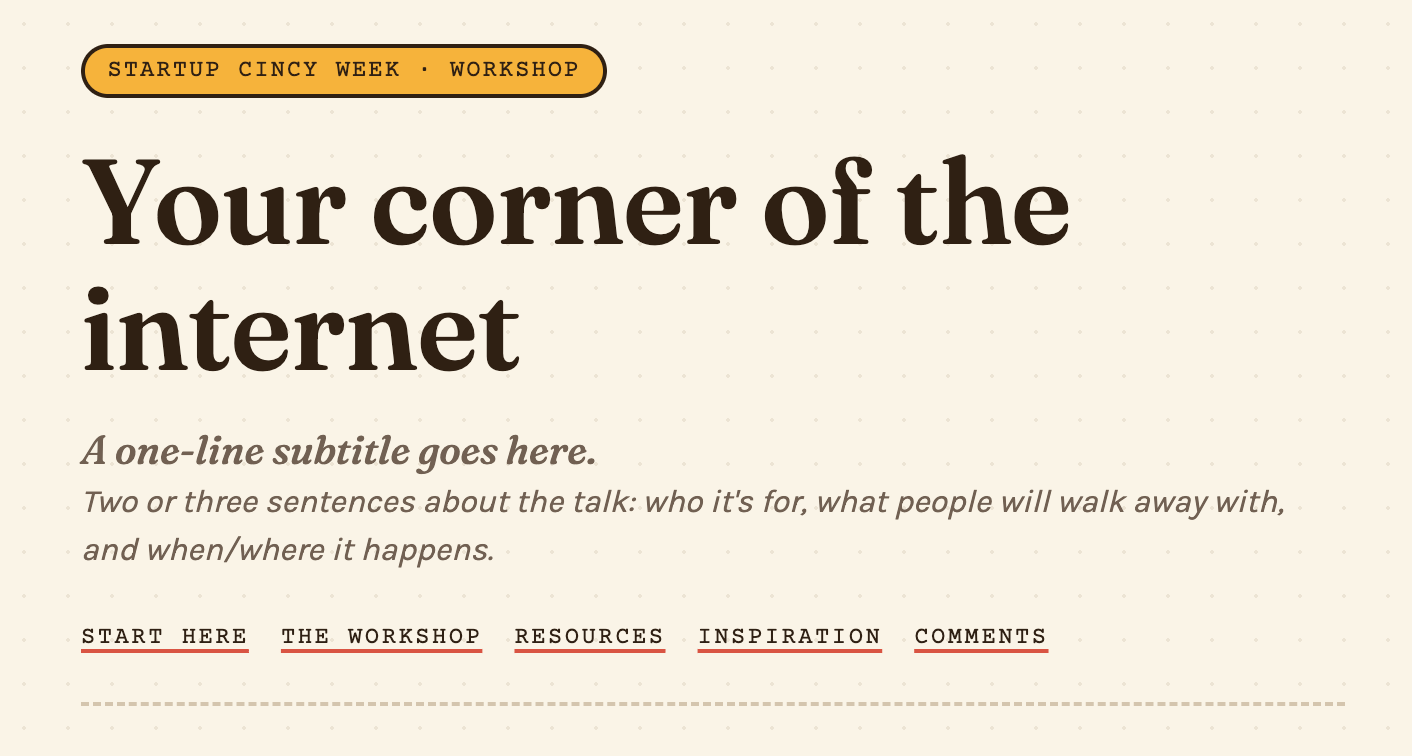
Sign-in for the comments widget is broken, but otherwise it’s a plausible
website. I can easily publish to a *.lovable.app subdomain—have a look at
yourcorneroftheinternet.lovable.app—or
to my own domain if I upgrade to Pro.
I am totally sidetracked reacting to the unusual serif typeface it’s chosen. Look at that funky ampersand; the s looks upside down; and how about the doohickey on that f ascender. I’ll keep an eye on aesthetics and slop as I compare the different tools.
My Lovable app is fullstack React, I learn, clicking around to find the code. It seems a bit heavy for a single-page site what with dozens of files (I might have created just three or four myself). The comments database seems to be using Supabase, which required no intervention on my part to set up. There’s a whole lot more—analytics, e-commerce and AI integrations, etc.—but for now I’ll move onto my next trial.
Overall, I find the Lovable product well put together. It produced a website in under 5 minutes—good enough, although I do have credit anxiety as the unitless usage numbers tally.
v0
v0 is Vercel’s well named vibe coding tool. I copy-paste my prompt into the chatbox. After 11 seconds, v0 asks if I’d like to install Neon, because my comment wall needs a real database. Sure, why not. (Does that mean I need a separate Neon account? Vercel creates one for me, and later I’ll find a welcome email from Neon in my inbox.)
Unlike Lovable, v0 tells me which model it’s using: GPT-5.6 Luna, currently the only one available on my free account. If I upgrade, I can access pretty much any model, via the Vercel AI Gateway.
It makes fun little noises when it needs my attention, finishing a task or asking a question. In another time and mood these unexpected bloops and dings might bother me, but for the moment they delight.
v0 takes longer and pauses more than Lovable. It shows me some SQL to create a database table for comments—LGTM. No website yet, but a button to “Continue generation,” which I click. v0 is “Thinking,” and during the idle time I notice a stink bug on the wall next to my desk. So I get up to deal with that, after which I notice a plant that needs watering. So I go downstairs, fill up a pitcher, water my plant, and return to my desk. v0 is stuck on the same step. Is it working? There’s a shimmering text effect to signal some progress, but I’m not sure, because there’s no count showing the seconds transpiring—or minutes rather—and I also don’t see any credits or dollars expended yet. It finally comes to a stopping point at 5 minutes 13 seconds. I’ve used 0.075 credits. But again, what is a credit?
I do two more rounds of click “Continue generation” and wait until my website is ready: 5 minutes 36 seconds for 0.070 credits, and 1 minute 29 seconds for 0.024 credits. At each of these pauses I have the opportunity to view the code diff, and like Lovable it’s a big ole React app.
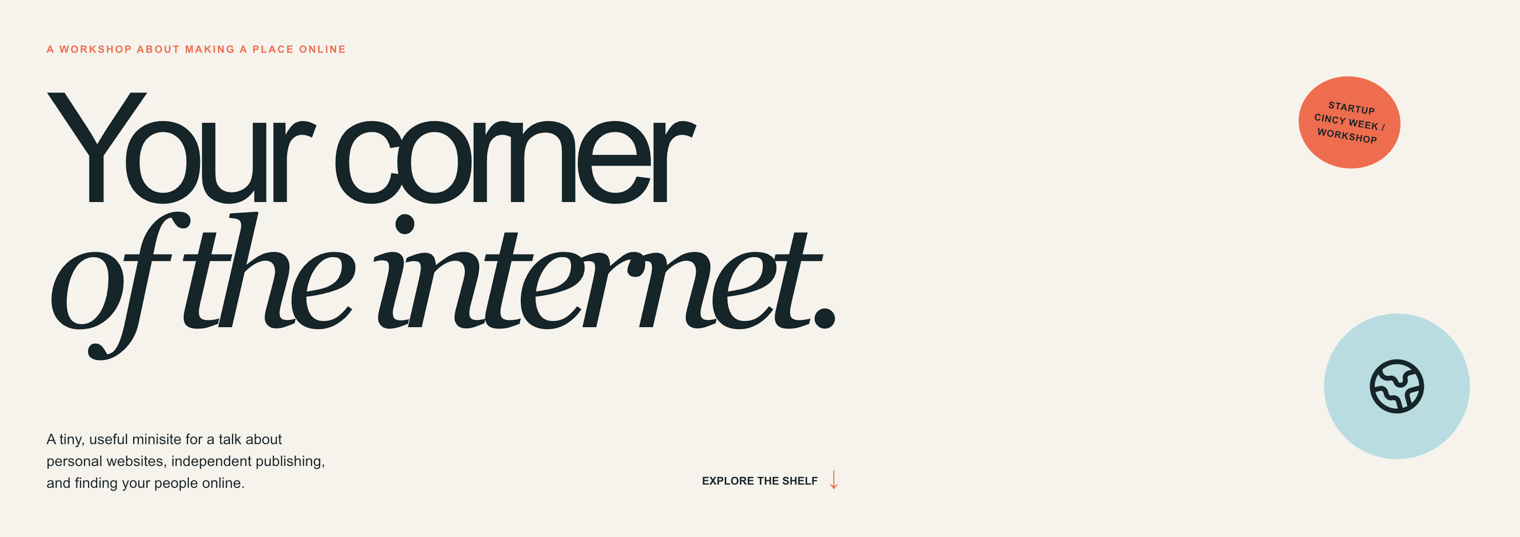
After 15 minutes, it’s done. It’s a website alright. There are some tells of the AI slop design era we’re in, but it feels a little more homemade, like a 2010s-era site.
There’s a “Publish” button in the top right corner, just like on Lovable. I can
customize my *.vercel.app subdomain—yourcorneroftheinternet.vercel.app (now
expired)—or even to a custom domain on my free account. That’s a big point in
Vercel’s favor, as most products have a paywall in front of custom domains.
Vercel is a domain registrar too, so I can even buy a domain right in Vercel.
As with Lovable’s output, I’m distracted by font again. Letter spacing and line height are extremely tight—neighboring letters and lines are overlapping. The descender of a serif f is creating an accidental ligature with the i below (on narrow screens). I’m not sure if a v0 system prompt or GPT-5.6 Luna is to blame, but in any case I’ll want to select my own typeface.
The comments work. No authentication or moderation, probably inviting spam but maybe fine for a one-day talk site.
As for v0 features, I poke around and find code diffs, a file tree, database, logs, terminal, and more: integrations, environment variables, domains, analytics. v0 is reminding me of something (it’s Lovable), until I find Design Mode.
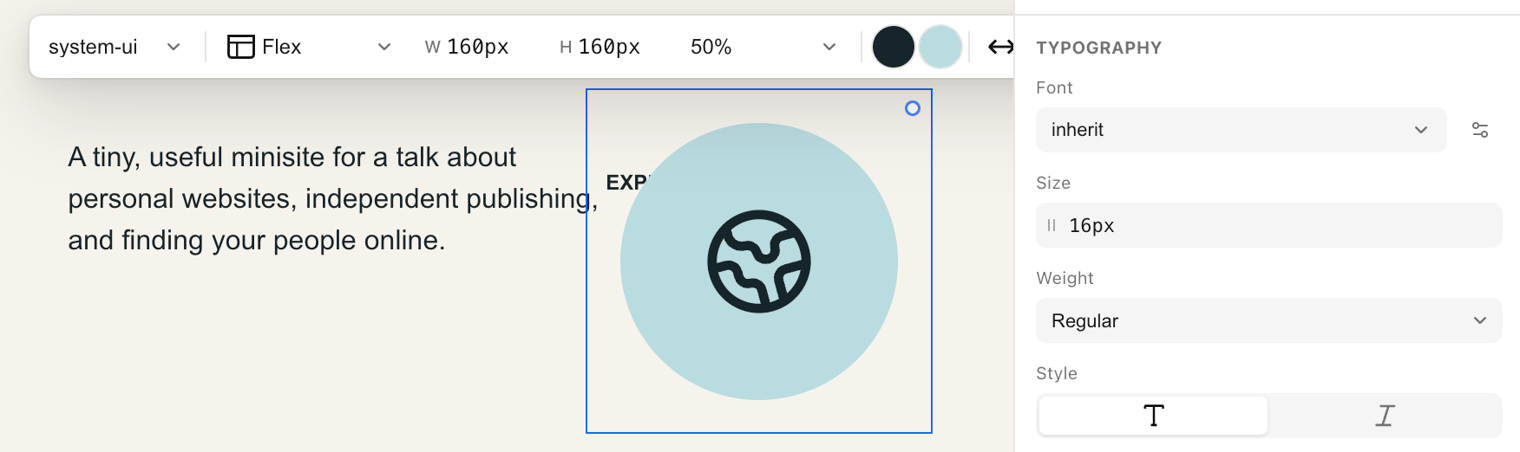
Design Mode is like Figma-meets-browser-devtools, with an AI chatbox on top. I suppose the idea is to make both designers and developers feel at home. Whereas Lovable is a relatively new tool born in the vibe coding era, Vercel has been around for about 10 years with a developer-first audience. Replit, the tool I’ll try next, is another ~10-year-old developer tool, but I think with more of a learn-to-code angle, so I’m curious if the Replit UX will fall somewhere in between that of Lovable or Vercel.
Replit
Replit’s onboarding is a bit more involved than Lovable’s copy-paste-go (I already had a Vercel account). I answer a few questions, and before I even get to the “What do you want to build today?” chatbox, they ask if I’ll upgrade to Core for $20 a month or Pro for $100 a month. I stick with the Free plan and paste my prompt.
Their free tier uses a combination of AI models chosen by Replit to build my site—not sure which ones. Six minutes elapse, a bit slower than Lovable and much faster than Vercel, and no stopping for questions or approvals. I don’t know how many credits or dollars toward my free allowance. More cost anxiety. I guess they don’t want to cause even more alarm with an ever-increasing dollar figure.
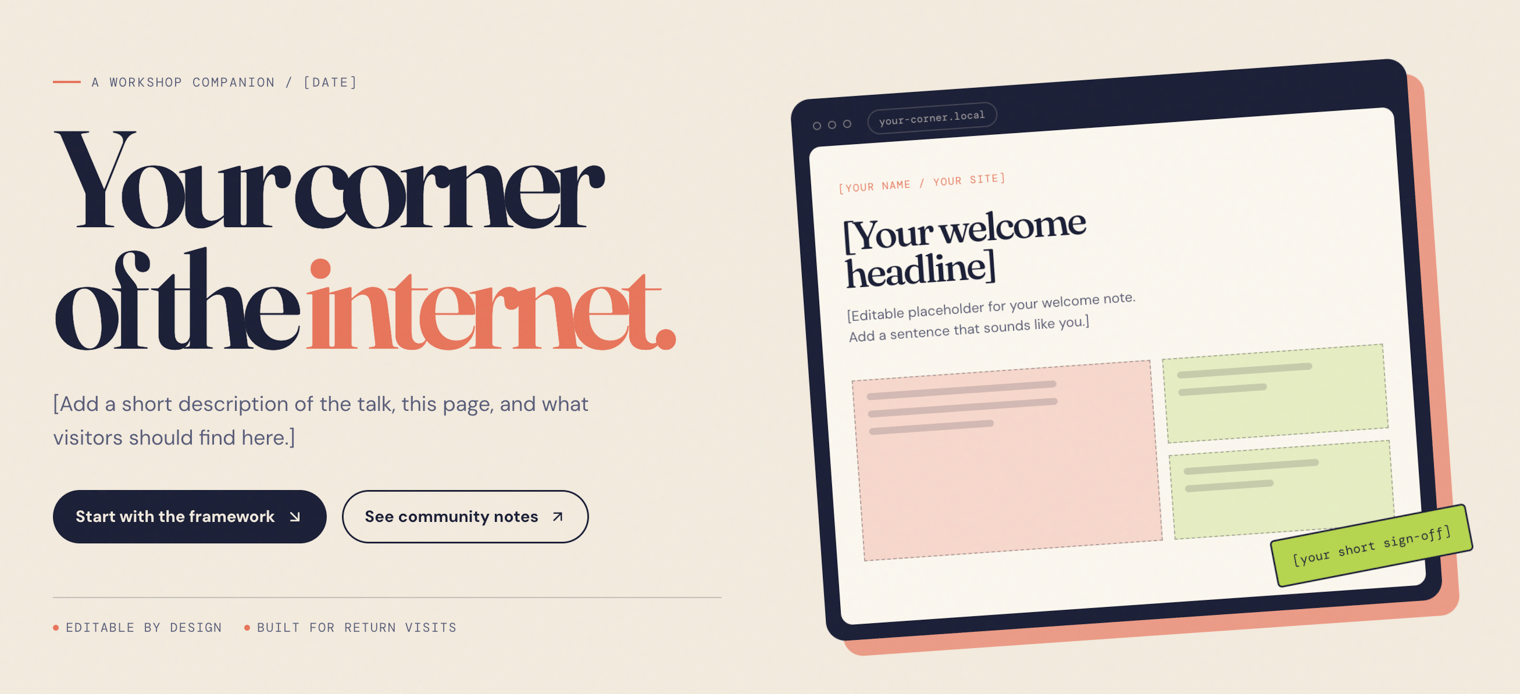
But alas, I don’t hit a paywall, and I have a website with some placeholder content and a functional comments section (like v0, without moderation or authentication). The website is pretty maximalist, sort of a combination of the first two, design-wise. It has that same typeface that Lovable chose with the funky f, and the letter spacing is super tight, like in v0.
I see the now familiar Publish button atop the page, though I can’t even
customize my *.replit.app subdomain on the free
account—your-corner-of-the-internet--pmillspaugh.replit.app (now expired) it
is.
Like in v0, I can toggle between a Design view of my website—a Figma-like canvas—and a Build view with preview, file tree, and more tools: domains, database, auth, integrations, secrets, analytics, etc. Replit’s output is also a hunky React app with dozens and dozens of files. This is starting to grate on me for such a simple site, although it may be a PEBKAC prompting error. I would have done totally the opposite by hand with maybe just an HTML file and CSS file and SQL file and simple server.
Replit, like Lovable and v0 in its vibe coding cohort, works. I don’t really like any of my one-prompt websites yet, but it’s been a smooth and expedient experience.
ChatGPT Sites
ChatGPT Sites is OpenAI’s quick live website tool. I don’t get the sense OpenAI is heavily invested in Sites. It’s still in beta, available on ChatGPT Plus and other paid plans (I’m accidentally breaking my free rule here—whoops).
ChatGPT allows me to select from the GPT models: Astra, Luna, and Sol. I leave the default (GPT-6.1 Sol) and paste my prompt. ChatGPT tells me upfront that it “should take about 4 to 10 minutes to build and publish.” That’s quite helpful compared to waiting in the dark with the other tools. And sure enough, ChatGPT one-shots my website in 4 minutes and 17 seconds, the fastest yet.

ChatGPT published the website to a *.username.chatgpt.site subdomain, which I
can
customize—yourcorneroftheinternet.peterdgmillspaugh.chatgpt.site.
It even adds my custom domain and provides clear instructions on setting a few
DNS records.
As for design, again the H1 letter spacing is super tight. What’s up with that? The style is certainly different than the other three. There’s definitely a dollop of familiar AI slop, but it’s also—I don’t know, corporate? ChatGPT took the same comment approach as v0 and Replit, sans moderation and authentication. I can select elements on the site to request edits, but I’m actually not sure whether it’s vanilla HTML, a React app, or what—the code is hidden, it seems.
I’m pleased with the simplicity and speed here, appropriate for my relatively simple task. So far, this might be the experience I’m most likely to recommend to a non-developer for a small website.
Claude Artifacts
Alphabetically and logically Claude Artifacts is the next tool to try after ChatGPT. Like ChatGPT sites, Claude artifacts are limited on a free plan.
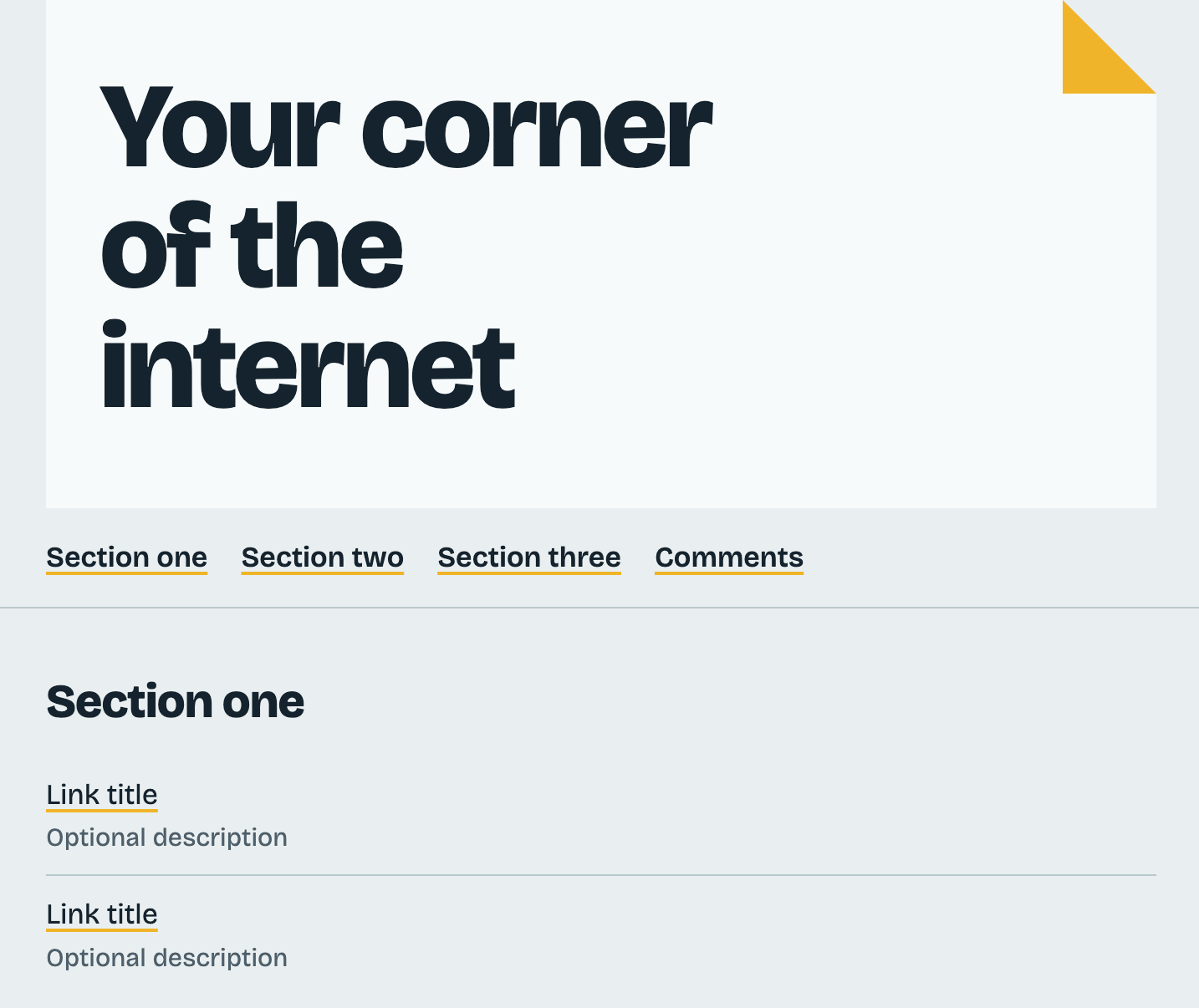
I drop in my prompt and Claude goes for it—no clarifying questions. It creates just a few files—HTML, JS, SQL—as I would have done. And not only does it win on architecture, it is my preferred design of the five so far.
But unlike the others, Claude holds off on deploying my website to a live URL
because it doesn’t support custom domains. I instruct Claude to deploy as an
Artifact, and it obliges—claude.ai/artifact/1mJHRufEbJvySJVYenXVno.
Now, I don’t love how the website looks, but it isn’t overdone. Claude tells me the folded top-right corner is “a nod to ‘corner of the internet’” in one line of CSS. Claude’s also chosen a single column layout that works on phones, “since attendees will likely open it there.” Unlike the fullstack React apps, Claude’s site is approachable to edit right away.
The simple HTML page was most in line with what I’d imagined, much lighter than all of the other tools. I’m not sure precisely how much time elapsed–Claude doesn’t show—but like ChatGPT, Claude was quite fast, quicker than the fullstack vibe coding tools.
Val Town
Last but hopefully not least, Val Town. I copy-paste the prompt into a chat with Townie, Val Town’s coding agent.
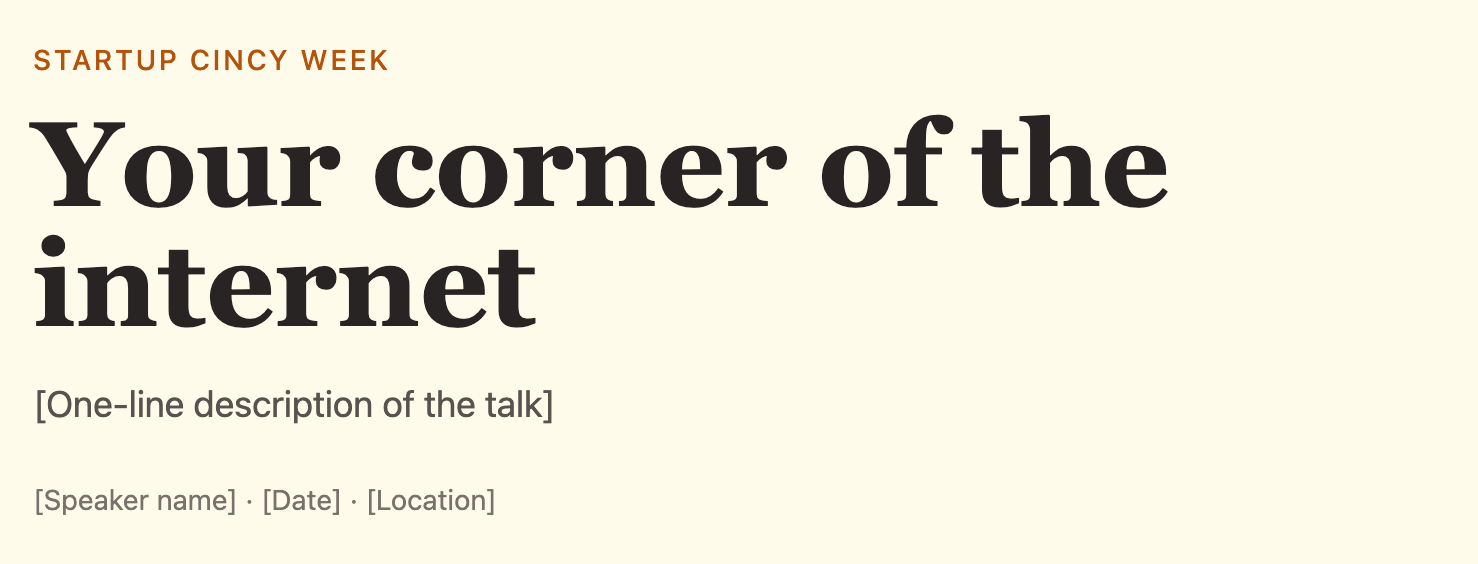
Right away, I notice the same shortcoming: no time elapsed nor dollars spent as Townie works. It’s only once it stops that I know 3 minutes have passed. I use Claude Sonnet 5.5 for an apples-to-apples frontier model comparison. Townie moved quickly, and the website works, but the design is nothing to write home about.
Townie links me to its *.val.run subdomain, which I
customize—yourcorneroftheinternet.val.run—and
gives instruction on setting up a custom domain, only on Pro and Business plans.
The site’s complexity lies somewhere between the fullstack React apps and vanilla HTML files, architecture-wise. And with the other tools fresh in my mind, the Val Town UI seems busy and overwhelming—more GitHub less Claude. There’s a lot exposed beyond the chat and website: code, database, analytics, environment variables, etc. The other fullstack vibe coding tools tucked most of that away.
For this particular site (and this particular developer), Val Town feels like more than I needed when compared to ChatGPT and Claude, and on par with the other vibe coding tools.
It’s pretty easy to make a small website in 2026
I will say, it’s quite easy to make a simple website in 2026. I succeeded in making a website in about 10 minutes with every tool I tried. I am not saying it’s easy to make a good website or a big website, or that the copywriting and design don’t still take time, but man: it is easy to ask a chatbot and poof, here’s your website at whatever[dot]com.
Trying a tool for 10 minutes or an hour is not the same as sticking with it for 10 hours or mastering it over 100. I mostly did the 10 minute to one hour version here, and even if I did this experiment over again, I’d get different results. The slot machine nature of language models makes it all highly variable. Not only may your mileage vary, but my own mileage may vary.
I am both optimistic and pessimistic about this moment for making websites. I’m optimistic because end-user programming, the idea that everyone should be able to customize their own software, seems more possible than ever. I’m pessimistic because a slopsite, an AI-generated website with little to no human thinking involved, is often worse than no website at all.